
How to Organize Business Receipts Digitally (and Never Lose One Again)
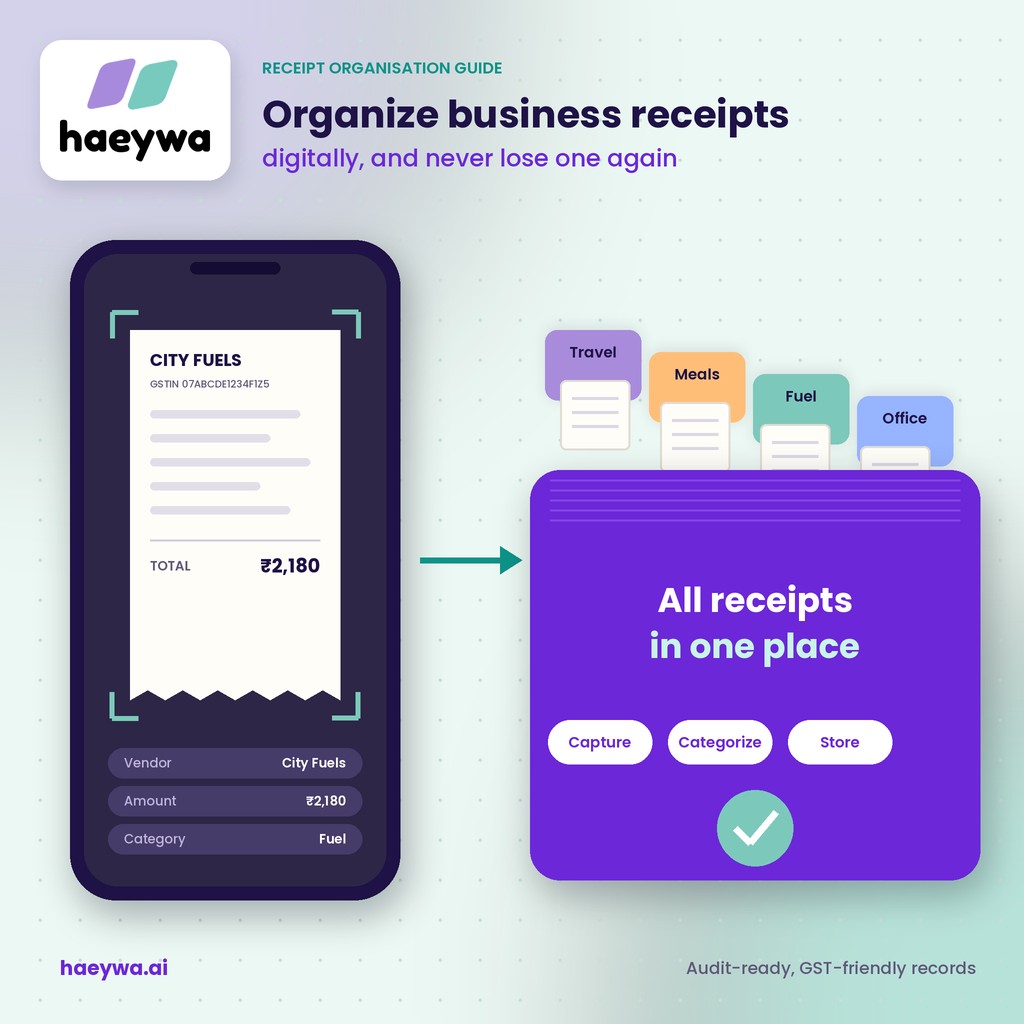
At haeywa, almost every finance team we speak to has the same story: a missing bill holding up a claim, a faded receipt nobody can read, or a month-end spent scrolling through WhatsApp for a photo of a fuel slip. Receipts are small, but they're the proof behind every business expense. This guide shows how to organize business receipts digitally, what records auditors expect, and how an app for organizing receipts with AI-powered OCR can make sure you never lose one again.
Why Paper Receipts Keep Getting Lost
Receipts go missing for the same few reasons in almost every business:
- Fading thermal paper: the shiny slips from fuel pumps, restaurants and shops fade within weeks, especially in heat.
- WhatsApp photos: bills are shared in chats, then buried under hundreds of messages or deleted with old phones.
- Drawers and wallets: paper bills sit in pockets, bags and desk drawers until someone remembers them, or doesn't.
- Late submission: the longer a bill waits, the more likely it's lost, damaged or forgotten.
The fix isn't more discipline. It's capturing the receipt at the moment of spend, which is exactly what good petty cash and reimbursement processes do. As we explain in our post on accurate petty cash records, clean records start at the source.
What Records the Taxman and Auditors Expect
A receipt is only useful if it holds the right details. For GST purposes, a valid tax invoice generally includes:
- The supplier's name, address and GSTIN
- A unique invoice number and the invoice date
- Your business name and GSTIN, if you want to claim input tax credit
- A description of the goods or services, with HSN or SAC codes
- The taxable value, tax rate and tax amount (CGST and SGST, or IGST)
- The place of supply and the supplier's signature or digital signature
Simple cash memos and small bills won't carry all of this, but they should still show the vendor, date, amount and what was bought.
On retention, GST law generally requires businesses to keep accounts and records for 72 months (six years) from the due date of the annual return for that year, and income tax rules have their own retention periods. Records can usually be kept electronically. Rules change and depend on your business, so always confirm the exact requirements with your CA.
A Simple Receipt System: Capture, Categorize, Store
Whatever tool you use, a reliable receipt system has three steps:
- Capture: photograph or upload the receipt as soon as you pay, before it goes into a pocket. Ask for a proper GST invoice when the spend is business-related.
- Categorize: tag each receipt with a category (travel, meals, fuel, office supplies), the project or client, and a short note on the purpose.
- Store: keep every receipt in one central place, linked to the payment it supports, and backed up, not on one person's phone.
A shared drive and a naming rule (date, vendor, amount) can work for a very small team. Beyond a handful of people, receipt management software saves hours, because it captures, reads and files each bill for you.
Receipt Management Software: How OCR Reads a Bill
OCR (optical character recognition) turns a photo of a bill into usable data. With AI-powered OCR, the process looks like this:
- You snap a photo of the receipt or upload a PDF invoice.
- The software finds the key fields: vendor name, invoice number, date, amount and tax details.
- It fills them into the expense record, so nobody has to type them.
- It suggests a category and flags problems, such as an amount that doesn't match the payment.
Good receipt tracking software also spots duplicates, so the same bill can't be claimed twice. We explain how in how haeywa's AI catches duplicate bills and anomalies.
Still chasing receipts at month-end? Book a free demo and see how haeywa captures and reads every bill the moment it's paid.
Choosing a Receipt App: 6 Features to Check
The best receipt management app for a business is different from a personal expense organizer app. Look for these six features:
- AI OCR: reads amounts, dates, vendors and GST details accurately, without manual typing.
- Linking to payments: each receipt attaches to the card spend, payout or claim it supports.
- Categories and tags: by expense type, team, project or location, ready for reports.
- Duplicate and mismatch checks: catches the same bill submitted twice, or a bill that doesn't match the payment.
- Approvals and audit trail: records who submitted, approved and paid each expense.
- Accounting sync: sends receipt data to your accounting software, so nothing is re-keyed.
The best app to manage receipts is one your team will actually use: fast on mobile, simple enough for field staff, and connected to how they already pay.
Organizing Receipts for Teams, Not Just Yourself
Organizing your own receipts is easy. Organizing receipts from 50 people across branches, sites and sales routes is where most businesses struggle. An expense receipt tracking app for teams should:
- Let every employee capture bills from their own phone, at the point of spend.
- Group receipts by branch, team or trip, so finance can review them in context.
- Show where each spend happened, using location-based analytics for field teams.
- Remind people about missing bills before the claim deadline, not after.
- Give finance one live view of every receipt, approval and payment.
For travelling staff, our guide on how to track expenses on a business trip has a simple routine to share with your team.
How haeywa Captures Receipts at the Point of Spend
haeywa is built so that every payment and its receipt live together from the start:
- Snap and done: employees photograph the bill in the haeywa app right after paying, on Android or iOS.
- AI reads every bill: OCR extracts the vendor, invoice number, amount, date, tax details and category in seconds.
- Linked to the payment: receipts attach automatically to the matching prepaid card spend, petty cash entry or reimbursement claim.
- Errors flagged early: duplicates and amount mismatches are caught before payments are processed.
- Stored securely for audits: every receipt is kept with its approvals and payment, ready for audit and compliance reporting.
- Synced to your books: expense data flows into your accounting software through APIs.
It's all part of taking every business payment from spend to reconciliation in a single workflow.
Conclusion
Lost receipts aren't a people problem. They're a process problem. Capture each bill the moment you pay, categorize it with a purpose, and store it in one place linked to its payment. With an app for organizing receipts like haeywa, AI reads every bill, flags problems early and keeps your records audit-ready, so you never lose a receipt again.
Also Check
- Invoice Management 101: From Manual Filing to Automation
- A Step-by-Step Guide to Using Expense Tracking Software
Frequently Asked Questions
How long should businesses keep receipts in India?
GST law generally requires records to be kept for 72 months (six years) from the due date of the annual return for that year. Income tax rules also apply, so confirm the exact period with your CA.
Are photos of receipts valid for GST?
GST law allows records to be kept electronically, but input tax credit depends on having a valid tax invoice with the required details. Ask your CA whether you also need to keep the originals.
What is OCR receipt scanning?
OCR receipt scanning uses software to read a photo of a bill and pull out details like the vendor, date, amount and tax, so nobody has to type them in.
How do I organize receipts for multiple employees?
Use one app where every employee captures bills at the point of spend, linked to payments and grouped by team or branch. haeywa, one of the best receipt management apps for Indian businesses, does this with AI-powered OCR.
Capture Every Receipt at the Point of Spend
Book a free demo and see how haeywa reads bills with AI, links them to every payment and keeps your records audit-ready.
Learn more →